
“Can I run AI models locally?” is the first question everyone asks—and the answer is always “it depends on your memory.” Local AI is booming, but confusion between RAM, VRAM, and unified memory leads to expensive mistakes.
In this guide, you’ll get exact memory needs for popular models, how quantization changes the math, and a look-up table so you can match hardware to the models you want. If you’re still choosing hardware, our best mini PCs for AI buyer’s guide ranks options by tier; for mini PCs for virtualization (same form factor, different use case), we have a separate pillar.
Quick reference: 7B Q4 ≈ 4–5 GB; 14B Q4 ≈ 8 GB; 32B Q4 ≈ 18–20 GB; 70B Q4 ≈ 35–40 GB. Add 2–4 GB for overhead. Use the table below for exact numbers by model and quantization.
RAM vs VRAM — What’s the Difference for AI?
System RAM (DDR5 / LPDDR5X)
System RAM is general-purpose memory used by the CPU. Most current mini PCs ship with either DDR5 SO-DIMMs (socketed, upgradeable in some models) or soldered LPDDR5X (smaller, more power-efficient, but fixed at purchase). The practical difference matters: standard DDR5 delivers around 70–100 GB/s of bandwidth, while LPDDR5X—found in AMD Strix Halo machines and Apple Silicon Macs—pushes 200+ GB/s. That bandwidth gap translates directly into tokens per second during inference.
For AI workloads, system RAM is used whenever you run CPU-only inference (no discrete GPU), when the model is too large to fit entirely in VRAM and layers spill over from GPU to CPU, or when the runtime needs space for the KV cache during long conversations. Capacity sets your model-size ceiling, and bandwidth determines how fast you generate tokens once the model is loaded.
GPU VRAM (GDDR6X, etc.)
VRAM is dedicated video memory on your graphics card, and when the entire model fits inside it, inference is fastest—there’s no PCIe bus transfer bottleneck. Common VRAM tiers on desktop GPUs are 8 GB (GTX 1070/RTX 4060), 12 GB (RTX 4070), 16 GB (RTX 4080), 24 GB (RTX 4090), and 48 GB (A6000 / professional cards). GDDR6X delivers 500–1,000 GB/s of bandwidth depending on the card, which is 5–10× faster than system DDR5. That’s why a 12 GB GPU running a 7B model at Q4 produces 40–80 tokens per second, while the same model on system RAM manages 12–18 tok/s. Towards AI’s analysis of VRAM needs for local vs cloud LLMs breaks down the cost-performance trade-off in detail.
Unified Memory (Apple Silicon)
On Apple Silicon Macs (M1 through M4 series), CPU and GPU share a single unified memory pool. There’s no separate VRAM and no PCIe copy penalty—the GPU can access the same memory the CPU uses, which eliminates the biggest bottleneck of discrete GPU setups. A 64 GB Mac mini M4 Pro effectively has “64 GB for the model,” though not all of it is available: macOS and background services reserve 2–4 GB, so plan for roughly 60 GB of usable model space. The M4 Pro’s unified memory runs at 273 GB/s, which sits between DDR5 and GDDR6X—fast enough to deliver 18–22 tok/s on a 7B model and solid performance on 32B models. See our Mac mini for AI guide for how that plays out in practice.
How Model Size Translates to Memory
The Rule of Thumb
Roughly ~2 GB per 1 billion parameters at FP16 (full precision), ~1 GB at Q8, and ~0.5 GB at Q4_K_M. So a 7B model at Q4 needs about 4 GB of memory, and a 70B model at Q4 needs about 35–40 GB. Always add 2–4 GB on top for the OS, runtime, and overhead. ApX ML’s hardware RAM requirements guide walks through these calculations model-by-model.
Here’s a worked example: take Llama 3.1 70B. At FP16 that’s 70 × 2 = ~140 GB. At Q8_0 it’s 70 × 1 = ~70 GB. At Q4_K_M it’s 70 × 0.5 = ~35 GB. Add 3–4 GB for overhead, and you land at ~38–39 GB total. A 64 GB machine handles that comfortably with room left for the OS, KV cache, and a browser running in the background.
Context Length and KV Cache
Longer context windows consume additional memory at runtime through the KV (key-value) cache—this is memory used on top of the model weights themselves. A 4K context on a 7B model adds roughly 0.5 GB. Scale that up, and a 32K context on a 30B model can add 2–4 GB. Some newer models support 128K context, where KV cache alone can consume 8–16 GB for a large model. This is runtime memory that sits alongside the model weights, so if your 32B Q4 model occupies 18 GB and you’re running a 32K context, plan for 20–22 GB total before you even count OS and runtime overhead.
Overhead
Don’t assume “model size = all I need.” Your operating system takes 2–3 GB of RAM at idle. The Ollama runtime itself uses around 500 MB. If you’re running Open WebUI as a front-end, add another ~1 GB. A browser with a handful of tabs easily adds 1–2 GB more. On a 32 GB machine running an 18 GB Q4 model, that leaves roughly 10 GB for KV cache, the OS, and everything else—workable for short contexts, but tight if you’re having long conversations or running multiple tools alongside your model.
Quantization Explained — Trade Memory for (Minimal) Quality
What Quantization Does
Quantization reduces the numerical precision of model weights—from 16-bit floating point (FP16) down to 8-, 6-, 5-, or 4-bit integers. Think of it like compressing a high-resolution photo to JPEG: you lose some precision in the process, but for most practical uses, the difference is hard to spot. A 16-bit weight can represent 65,536 distinct values; a 4-bit weight represents just 16. Yet because large language models have billions of redundant parameters, this compression shrinks memory by 2–4× with usually small quality loss for everyday tasks like chat, coding, and summarization.
Common Levels
The GGUF format (used by Ollama and llama.cpp) offers several quantization levels. Here’s how they compare per 1 billion parameters:
| Level | Bits | Memory per 1B params | Quality impact |
|---|---|---|---|
| FP16 | 16 | ~2 GB | Baseline (full precision) |
| Q8_0 | 8 | ~1 GB | Negligible loss |
| Q6_K | 6 | ~0.75 GB | Very minor loss |
| Q5_K_M | 5 | ~0.63 GB | Minor loss |
| Q4_K_M | 4 | ~0.5 GB | Slightly noticeable for complex reasoning |
Lower precision means less RAM or VRAM required and slightly lower quality. For most users, Q4_K_M represents the best trade-off between size and capability.
When Q4_K_M Is Good Enough
For coding assistants, casual chat, creative writing, summarization, and RAG pipelines, Q4_K_M is the community consensus sweet spot. Benchmarks consistently show that the perplexity difference between Q4_K_M and FP16 is small enough that humans can’t reliably distinguish the outputs in blind tests. Reserve Q5_K_M or higher for specialized domains where precision genuinely matters—medical text analysis, legal document review, or academic research where subtle reasoning differences could compound. For everything else, Q4_K_M lets you run a larger model in the same memory, and a bigger model at Q4 almost always outperforms a smaller model at Q8.
The Look-Up Table — Memory Needed by Model and Quantization
The values below are rounded from real-world measurements. LocalLLM.in’s Ollama VRAM requirements guide has additional per-model benchmarks; Micro Center’s 8 GB / 16 GB / 32 GB memory guide groups models by available RAM.
| Model | Params | FP16 (GB) | Q8_0 (GB) | Q4_K_M (GB) | Min hardware tier |
|---|---|---|---|---|---|
| Phi-4 | 3.8B | ~8 | ~4 | ~2 | 8 GB |
| Llama 3.2 | 8B | ~16 | ~8 | ~4–5 | 16 GB |
| DeepSeek R1 | 14B | ~28 | ~14 | ~8 | 24–32 GB |
| Qwen 2.5 | 32B | ~64 | ~32 | ~18–20 | 32–64 GB |
| Llama 3.1 | 70B | ~140 | ~70 | ~35–40 | 64–128 GB |
| Qwen 3 | 235B | — | — | ~120+ | 128 GB+ |
Memory Bandwidth — The Hidden Performance Factor
Two machines can have the same amount of RAM and run the same model, yet produce tokens at wildly different speeds. The difference is memory bandwidth—how fast data moves from memory to the processor. During the token generation (decoding) phase, the entire model must be read from memory for every single token produced, making inference heavily bandwidth-bound. Here’s how common memory types compare:
| Memory type | Typical bandwidth | ~tok/s on 7B Q4 |
|---|---|---|
| DDR4 (older NUCs) | 50–70 GB/s | 5–10 tok/s |
| DDR5 (most new mini PCs) | 100–140 GB/s | 12–18 tok/s |
| LPDDR5X (AMD Strix Halo) | 200+ GB/s | 20–30 tok/s |
| Apple M4 Pro unified | 273 GB/s | 18–22 tok/s |
| GDDR6X (discrete GPU) | 500–1,000 GB/s | 40–80 tok/s |
One nuance worth understanding: bandwidth matters most during the generation (decoding) phase, where the model produces one token at a time and must read through all the weights each step. The initial prompt processing (prefill) phase is more compute-bound—it processes all input tokens in parallel and benefits more from raw FLOPS than from memory throughput. This is why a discrete GPU with high GDDR6X bandwidth dominates token generation speed, while the prompt evaluation gap between GPU and high-bandwidth system memory is often smaller than you’d expect.
When comparing mini PCs, don’t look at capacity alone. A 64 GB DDR5 machine at 100 GB/s will generate tokens noticeably slower than a 64 GB LPDDR5X machine at 200+ GB/s, even though both can load the same models.
Compare GPU and Memory Options
NVidia GPUs

- AI Performance: 1005 AI TOPS
- OC mode boosts clock 2587 MHz (OC mode) / 2557 MHz (Default mode)
- Powered by the NVIDIA Blackwell architecture and DLSS 4
- SFF-Ready enthusiast GeForce card compatible with small-form-factor builds
- Axial-tech fans feature a smaller fan hub that facilitates longer blades and a barrier ring that increases downward air pressure


- NVIDIA Ampere Streaming Multiprocessors
- 2nd Generation RT Cores
- 3rd Generation Tensor Cores
- Powered by GeForce RTX 3050
- Integrated with 6GB GDDR6 96-bit memory interface

- NVIDIA Ampere Streaming Multiprocessors: The all-new Ampere SM brings 2X the FP32 throughput and improved power efficiency.
- 2nd Generation RT Cores: Experience 2X the throughput of 1st gen RT Cores, plus concurrent RT and shading for a whole new level of ray-tracing performance.
- 3rd Generation Tensor Cores: Get up to 2X the throughput with structural sparsity and advanced AI algorithms such as DLSS. These cores deliver a massive boost in game performance and all-new AI capabilities.
- Axial-tech fan design features a smaller fan hub that facilitates longer blades and a barrier ring that increases downward air pressure.
- OC Mode : 1500 MHz (Boost Clock)/Default Mode : 1470 MHz (Boost Clock)

- AI Performance: 767 AI TOPS
- OC mode: 2632 MHz (OC mode)/ 2602 MHz (Default mode)
- Powered by the NVIDIA Blackwell architecture and DLSS 4
- Axial-tech fan design features a smaller fan hub that facilitates longer blades and a barrier ring that increases downward air pressure
- A 2.5-slot design maximizes compatibility and cooling efficiency for superior performance in small chassis

- AI Performance: 623 AI TOPS
- OC mode: 2565 MHz (OC mode)/ 2535 MHz (Default mode)
- Powered by the NVIDIA Blackwell architecture and DLSS 4
- SFF-Ready Enthusiast GeForce Card
- Axial-tech fan design features a smaller fan hub that facilitates longer blades and a barrier ring that increases downward air pressure
AMD GPUs

- System Compatibility Note: This 2‑slot card measures 249 mm (L) x 132 mm (W) x 41 mm (H) and requires a single 8‑pin power connector. Please verify available chassis clearance and ensure your power supply is rated for a recommended 550W before purchase.
- Dedicated Support: Please contact us directly through Amazon for any product questions or assistance you may require.
- Next‑Gen AMD RDNA 4 Architecture: Powered by the AMD Radeon RX 9060 XT GPU with 32 Compute Units featuring 3rd Gen Ray Tracing and 2nd Gen AI Accelerators, delivering exceptional 1440p gaming and AI‑enhanced performance.
- Blazing‑Fast Engine Clock: Delivers a boost clock of up to 3290 MHz and a game clock of 2700 MHz out of the box, providing the raw power for smooth, high‑framerate gameplay.
- 16GB GDDR6 Memory on 128‑Bit Bus: Equipped with 16GB of high‑speed GDDR6 memory running at 20 Gbps, offering ample capacity and bandwidth for modern game textures and creative applications.

- Axial-tech fans now feature a smaller fan hub that facilitates longer blades and a barrier ring that increases downward air pressure
- 2.5-slot design allows for greater build compatibility while maintaining cooling performance
- 0dB technology lets you enjoy light gaming in relative silence
- Dual BIOS switch lets you toggle between Quiet and Performance BIOS profiles
- Dual ball fan bearings last up to twice as long as sleeve bearing designs

- Chipset: AMD RX 9070 XT
- Memory: 16 GB GDDR6
- XFX SWFT Triple Fan Cooling Solution
- Boost Clock Up to 2970 MHz
- System Compatibility Note: 2.5‑slot card measuring 303 mm (L) x 131 mm (W) x 45 mm (H); requires a single 8‑pin power connector and a recommended 550W power supply. Please verify chassis clearance and power supply capacity before purchase.
- Dedicated Support: Please contact us directly through Amazon for any product questions or assistance you may require.
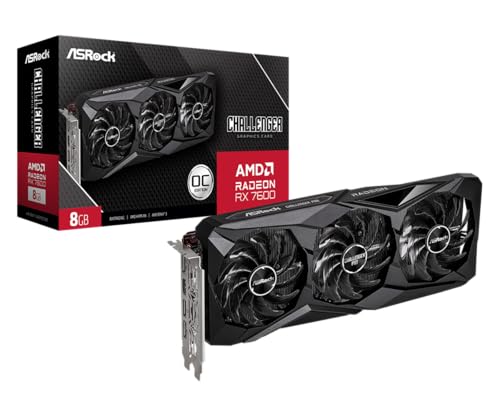
- AMD RDNA 3 Architecture with AI & Ray Tracing Acceleration: Powered by 32 RDNA 3 Compute Units featuring 3rd Gen Ray Tracing Accelerators and 2nd Gen AI Accelerators, delivering lifelike lighting, shadows, and superior machine learning performance for enhanced gaming and content creation.
- Powerful 1080p & 1440p Gaming Engine: Features a max boost clock of up to 2695 MHz, a game clock of 2280 MHz, and 2048 stream processors, ensuring outstanding frame rates in the latest titles.
- 8GB High‑Speed GDDR6 Memory: Equipped with 8GB of GDDR6 memory on a 128‑bit interface running at 18 Gbps, delivering up to 288 GB/s bandwidth for high‑resolution textures and demanding game workloads.

- Powered by Radeon RX 9070 XT
- WINDFORCE Cooling System
- Hawk Fan
- Server-grade Thermal Conductive Gel
- RGB Lighting
Intel GPUs

- Advanced Intel Arc Performance: Intel Arc B570 GPU with 10GB GDDR6 memory on 160-bit bus delivers excellent 1440p gaming and content creation performance
- Next-Gen Xe2-HPG Architecture: Features Intel Xe2-HPG architecture with Xe Matrix Extensions (XMX) for advanced AI acceleration and upscaling technology
- High Clock Speeds: GPU clock speed of 2600 MHz with 19 Gbps memory speed ensures smooth, responsive gaming experiences
- Intel XeSS 2 Technology: Supports Intel Xe Super Sampling 2 for enhanced performance and image quality through AI-powered upscaling
- Efficient Dual Fan Cooling: Dual striped axial fans with 0dB silent cooling technology provide optimal thermal performance during intense gaming sessions
- System Compatibility Note: 2-slot card, 271x112x39mm, single 8-pin power, 200W TDP. Verify chassis clearance and PSU capacity before purchase.
- Dedicated Support: Please contact us directly through Amazon for any product questions or assistance you may require.
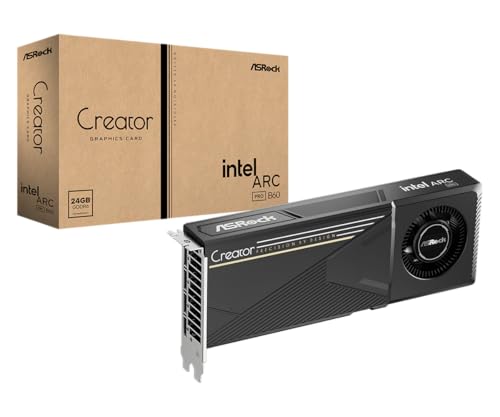
- 24GB GDDR6 on 192-Bit Bus: Massive 24GB memory with 456 GB/s bandwidth – ideal for LLMs, AI inference, 3D rendering, and generative design.
- Intel Xe2-HPG Architecture: Built on Intel's next-gen architecture with 20 Xe cores and 160 XMX engines for AI acceleration (197 INT8 TOPS).
- PCIe 5.0 Support: PCI Express 5.0 x16 interface for maximum bandwidth with the latest workstation platforms.
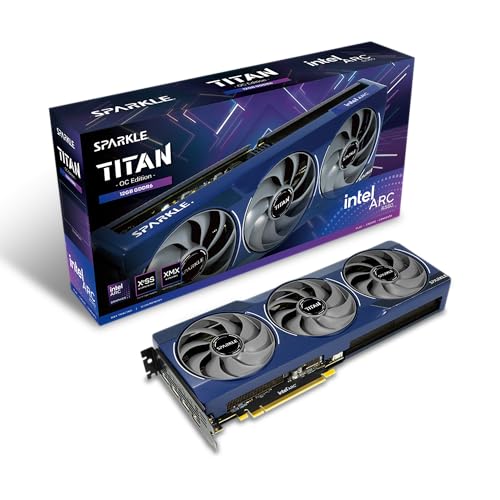
- OC Edition Boost Clock: 2760MHz
- TORN Cooling 2.0
- Metal Backplate
- Blue Breathing Light
- Graphic card sag bracket

- Intel Arc A380 Chipset
- 6GB, 96-bit, GDDR6 memory, 15.5 Gbps graphics memory speed
- 3x DisplayPort 2.0 ready, up to 8K@60Hz, 1x HDMI 2.0
- System Compatibility Note: This 2‑slot card measures 271 mm (L) x 112 mm (W) x 39 mm (H) and uses a 12V‑2x6 power connector. It consumes up to 200 W. The package includes a 12V‑2x6 to dual 8‑pin adapter cable. Please verify chassis clearance and ensure your power supply is properly rated before purchase.
- Dedicated Support: Please contact us directly through Amazon for any product questions or assistance you may require.
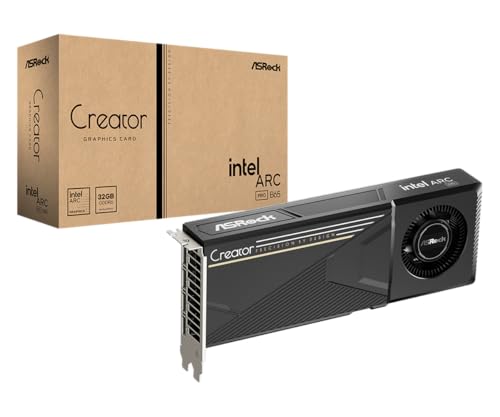
- Optimized for Professional Workloads with 32GB GDDR6: Powered by 32GB of GDDR6 memory on a 192‑bit interface running at 19 Gbps, this card delivers a massive 608 GB/s of memory bandwidth. This is ideal for local AI model inference, LLM deployments, large‑scale rendering, and heavy multitasking without relying on cloud resources.
- Next‑Gen Intel Xe2-HPG Architecture with AI Acceleration: Built on Intel’s Xe2-HPG architecture, it features 20 Xe cores and 160 Xe Matrix eXtension (XMX) engines, delivering up to 197 TOPS of INT8 AI compute power. It is equipped with 3rd Gen Ray Tracing and 2nd Gen AI Accelerators to significantly speed up demanding AI and rendering workflows.
- PCIe 5.0 Support for Maximum Bandwidth: Uses a PCI Express 5.0 x16 interface, providing ample data throughput for high‑speed data transfers, ensuring large models and datasets move efficiently between storage and GPU.
What Happens When a Model Doesn’t Fit
Partial GPU Offloading
If your model is too large for VRAM but you have a discrete GPU, you can split the workload: some layers run on the GPU and the rest run on the CPU using system RAM. In Ollama and llama.cpp, you control this with the num_gpu parameter, which sets how many layers get offloaded to the GPU. For example, if you have 12 GB of VRAM and a 35 GB Q4 model, roughly 30–35% of the layers can fit on the GPU while the rest run on the CPU. The result is 3–5× slower than full GPU inference, but still significantly faster than pure CPU—and often fast enough for interactive use at 8–15 tok/s depending on the model and your system RAM bandwidth.
Swap Hell
If the model doesn’t fit in RAM at all, your OS starts paging data to the SSD swap file—and performance collapses. Even a fast NVMe SSD delivers roughly 5–7 GB/s of sequential read bandwidth, which is 15–25× slower than DDR5 and 50–100× slower than GDDR6X. In practice, swap-heavy inference drops to fractions of a token per second with constant disk thrashing. If you see your system grinding on swap (disk activity pegged at 100%, fans spinning, interface stuttering), stop the model immediately and switch to a smaller model or a more aggressive quantization level. There’s no tuning your way out of swap-bound inference.
How to Check Before You Start
Before loading a model, check whether it will fit. Run ollama show llama3.1:70b to see the model’s on-disk size (the in-memory footprint is similar). Then check your available memory: on Linux, run free -h; on macOS, open Activity Monitor and click the Memory tab; on Windows, open Task Manager → Performance → Memory. If the model size exceeds your free memory (not total—free), you’ll hit partial offload or swap. For GPU users, nvidia-smi shows current VRAM usage and remaining free VRAM.
Practical Recommendations by Use Case
| Use case | Recommended model size | Min RAM | Best config |
|---|---|---|---|
| Casual chatbot | 7B–8B | 16 GB | Any mini PC or Mac mini 16 GB |
| Coding assistant | 14B–32B | 32–64 GB | Mac mini 64 GB or AMD 64 GB mini PC |
| Creative writing/summarization | 14B–32B | 32–64 GB | 64 GB preferred for long context |
| RAG pipeline | 14B–32B | 32–64 GB | 64 GB; need room for embeddings model too |
| Multi-model server | Mixed | 64–128 GB | 128 GB AMD or 64 GB Mac + discipline |
A note on multi-model setups: if you want a chat model, a coding model, and an embeddings model loaded concurrently (a common setup for development workflows), plan for the sum of all model sizes plus overhead. A 14B chat model at Q4 (~8 GB) plus a 7B code model at Q4 (~4 GB) plus a small embeddings model (~1 GB) totals around 13 GB of model weight alone—add OS overhead and KV caches, and you’re looking at 18–20 GB minimum. With 32 GB of RAM, that’s workable but tight; with 64 GB, you have comfortable headroom.
When in doubt, 64 GB of fast memory (LPDDR5X or Apple unified) is the safest bet for serious local AI use. It handles 32B models comfortably at Q4, leaves room for long context windows and concurrent processes, and won’t feel limiting for at least the next generation of popular open-weight models. If you’re ready to buy, see our best mini PCs for AI buyer’s guide to pick a machine that matches your budget and use case.
FAQ
Is 16 GB enough for AI?
Yes, for 7B–8B models at Q4 quantization—think Llama 3.2 8B or Phi-4 3.8B. You’ll have enough headroom for short-to-medium context conversations and basic tasks. Anything larger than 8B will either require aggressive quantization or won’t fit alongside the OS and runtime overhead, so 16 GB is best treated as a starting point for experimentation rather than a long-term setup.
Do I need 64 GB RAM for AI?
Only if you want to run 30B+ parameter models, maintain long context windows (32K+), or keep several models loaded concurrently. For a single 7B–14B model, 32 GB is plenty. But if you’re planning to run a 32B coding model alongside an embeddings model for RAG, 64 GB gives you the breathing room to do it without constantly swapping models in and out of memory.
Does more RAM help even if the model fits in VRAM?
Marginally but meaningfully. Even when the model runs entirely on the GPU, the KV cache can spill into system RAM at very long context lengths. Extra system RAM also means the OS, runtime, and other applications aren’t competing for the same pool, which prevents unexpected slowdowns during inference. It won’t change your peak tok/s, but it improves stability during sustained use.
Can I add RAM later?
It depends on the machine. Many mini PCs—especially those with LPDDR5X—have soldered RAM that’s fixed at the factory. Some DDR5 SO-DIMM models (like certain Beelink or ASUS NUC configurations) do allow upgrades. Always check the spec sheet before buying; if local AI is your goal, buying the RAM you need upfront is almost always cheaper and safer than hoping for upgradeability.
Is Q4 quantization noticeably worse?
For most tasks—chat, coding, creative writing, summarization—barely. Blind comparison tests consistently show that users can’t reliably distinguish Q4_K_M output from FP16 on these workloads. Where Q4 falls short is in complex, multi-step mathematical reasoning and highly technical domain-specific tasks. If you’re doing medical or legal text analysis, consider Q5_K_M or Q6_K; for everything else, Q4_K_M lets you run a bigger model, which usually matters more than higher precision on a smaller one.
How much VRAM does a 70B model need?
At Q4_K_M: ~35–40 GB; at Q8_0: ~70 GB; at FP16: ~140 GB. No single consumer GPU has enough VRAM for a 70B model at Q4 (the RTX 4090 tops out at 24 GB), so you’ll need either a professional card (A6000 at 48 GB still falls short), multi-GPU, or a high-RAM system running CPU inference. A 64 GB Mac mini M4 Pro or a 128 GB AMD Strix Halo mini PC are the most practical compact options.
Unified memory vs discrete VRAM — which is better for AI?
Unified memory (Apple Silicon) is simpler to set up and very efficient for large models because there’s no VRAM size wall—the model can use nearly all installed memory without partial offloading. Discrete VRAM (NVIDIA GDDR6X) is faster per token when the entire model fits, thanks to 500–1,000 GB/s bandwidth. The practical answer: if your target model fits in a discrete GPU’s VRAM, the GPU wins on speed. If it doesn’t, unified memory with high capacity is a smoother experience.
What’s the cheapest way to run a 32B model?
A Mac mini M4 Pro with 64 GB unified memory (~$1,999) or an AMD-based 64 GB mini PC (Beelink, GMKtec, or similar) around ~$1,500. Both handle Qwen 2.5 32B at Q4 (~18–20 GB) with plenty of room for the OS, runtime, and moderate context lengths. The Mac offers higher memory bandwidth; the AMD options sometimes offer more flexibility with discrete GPU pairing if you expand later.
How does context length affect memory?
Context length directly increases the KV cache size, which sits in memory alongside the model weights. A 4K context on a 7B model adds about 0.5 GB; a 32K context on a 30B model adds 2–4 GB; and at 128K context (supported by some newer models), the KV cache alone can consume 8–16 GB for large models. If you’re running RAG pipelines or processing long documents, this runtime memory cost is often the difference between “fits comfortably” and “doesn’t fit at all.”
Should I buy more RAM or a better GPU?
For mini PCs, more RAM almost always wins. Mini PCs rarely support full-size discrete GPUs, so VRAM upgrades aren’t an option—your GPU is either integrated or limited to mobile-class parts. More system RAM lets you run larger models and longer contexts on CPU or unified memory inference, which is the primary bottleneck in compact form factors. If you’re building a desktop tower, a GPU upgrade makes sense; for the mini PC use case, put your budget into maximum RAM and the fastest memory type (LPDDR5X or unified) you can afford. See our Ollama setup guide for mini PCs once you’ve chosen hardware.
Conclusion
RAM (or unified memory) is the #1 spec for local AI; quantization is your best friend for fitting more in less. Use the look-up table to match the model you want to your hardware—and when you’re ready to buy, use our best mini PC for AI guide (linked in the intro) to pick a machine. For a broader overview of what hardware specs matter beyond memory, Arsturn’s Ollama hardware guide is a solid companion read.
VMinstall.com is a participant in the Amazon Services LLC Associates Program, an affiliate advertising program designed to provide a means for sites to earn advertising fees by advertising and linking to Amazon.com, Amazon.co.uk, Amazon.ca, and other Amazon stores worldwide. *Best Sellers last updated on 2026-10-07 at 00:46.

