
Best mini pc for running ai models
The age of cloud-only AI is over.
For about $15 a year in electricity, you can run 30B-parameter language models 24/7 on a box the size of a paperback—no API fees, no data leaving your network. Tools like Ollama and LM Studio have made local AI accessible, and mini PCs have emerged as the sweet spot: compact, quiet, and power-efficient enough to sit on a shelf or in a homelab rack. If you’re also weighing the best NUC for virtualization, the same hardware often excels at both workloads.
In this guide, you’ll learn which mini PCs actually run which models, which specs matter most for AI inference, and get a ranked comparison table from good to best—so you can choose with confidence for your budget and use case.
Why a Mini PC for AI? (Not a Full Desktop, Not the Cloud)
Privacy, Cost Savings, and Always-On Availability
Running models locally keeps prompts and responses on your hardware. There’s no data sent to third-party APIs, which matters for sensitive code, internal docs, medical notes, or anything with compliance requirements. You also avoid per-token pricing entirely: ChatGPT Plus costs $20 per month—$240 per year—and still limits how many messages you can send. A mini PC drawing 15–65 W costs roughly $15–$60 per year at average US electricity rates (~$0.16/kWh) to run 24/7, with no message caps and no rate limits. Leave Ollama running as a service, expose the API on your LAN, and hit it from scripts, browser extensions, or a local Open WebUI instance whenever you need it—no cold starts, no waiting for a cloud endpoint to spin up.
Form Factor Advantages
Mini PCs are compact enough to VESA-mount behind a monitor, tuck into a media cabinet, or slide into a shallow 1U–2U rack shelf. Most measure around 4–6 inches per side and weigh under three pounds. Compare that to a full desktop tower with an NVIDIA RTX 4090: the GPU alone draws 450 W under load, and the whole system easily pulls 600–700 W while sounding like a vacuum cleaner. A typical AMD-based mini PC running AI inference tops out around 65 W total system draw and stays in the 30–40 dBA noise range—quieter than a conversation. Apple’s Mac mini is even more frugal at 15–30 W under inference load, producing essentially no audible noise. For a “set and forget” homelab AI server, the form factor advantage is hard to overstate.
Where Mini PCs Hit Their Limits
They’re not the right tool for everything. Very large models—think Meta’s Llama 405B or anything above 100B parameters at full precision—simply won’t fit in the RAM a mini PC can carry. Multi-GPU training workloads (fine-tuning LoRAs on 70B+ models, running distributed training across multiple A100s) require workstation or server hardware. The same goes for latency-sensitive production serving: handling dozens of concurrent users with sub-second response times needs dedicated GPUs with large VRAM pools or a cloud deployment. For inference of 7B–70B models at conversational speeds for personal or small-team use, though, mini PCs are increasingly capable—especially with quantization.
What Specs Actually Matter for AI Inference on a Mini PC
RAM and Memory Bandwidth Are King
Model weights and runtime state live entirely in memory during inference. Capacity determines which model sizes you can load; bandwidth determines how fast tokens generate. These two numbers matter more than any other spec.
On capacity: 32 GB is the minimum for comfortable 7B–13B use with headroom for the OS. 64 GB is the sweet spot—it runs 30B–32B quantized models comfortably, or multiple smaller models simultaneously. At 128 GB, you can tackle 70B quantized models, though generation speed depends heavily on bandwidth.
On bandwidth: LPDDR5X (found in AMD Strix Halo chips like the Ryzen AI Max+ 395) delivers 200+ GB/s, which directly translates to faster token generation. Standard DDR5 SO-DIMMs deliver 76–100 GB/s in dual-channel configurations, while older DDR4 tops out around 50–60 GB/s. Apple’s M4 Pro unified memory reaches 273 GB/s—one reason Mac minis punch above their weight on tok/s benchmarks. Prioritize LPDDR5X or unified memory if speed matters to you; avoid DDR4 for serious AI work.
GPU: Discrete vs Integrated vs Unified Memory
Discrete GPUs (e.g. an NVIDIA RTX 4060 via Thunderbolt or OCuLink eGPU enclosure) give the highest raw throughput—CUDA cores and dedicated VRAM are purpose-built for parallel computation. The trade-off: external enclosure, more power, more heat, and you cap out at the card’s VRAM (8 GB on an RTX 4060, 12 GB on a 4070), so larger models spill to system RAM and slow down.
Integrated GPUs like AMD’s RDNA 3.5 (Ryzen AI 9 HX 370 or AI Max+ 395) can address the full system RAM pool—up to 128 GB—for inference. You trade peak throughput for the ability to run much larger models without VRAM bottlenecks. ROCm support on Linux has improved significantly for these iGPUs, though it still requires more setup than CUDA. On Windows, Vulkan-based backends in llama.cpp work reasonably well.
Apple’s unified memory (M4, M4 Pro, M4 Max) shares one pool between CPU and GPU with no PCIe copy penalty. The Metal backend in llama.cpp and Ollama is mature and performant. The combination of high bandwidth, zero-hassle GPU acceleration, and silent operation makes Apple Silicon the easiest path to local AI—if you’re willing to work within macOS.
NPU — Marketing vs Reality
Neural Processing Units (NPUs) ship on nearly every new laptop and mini PC chip. AMD’s Ryzen AI 9 HX 370 claims 50 TOPS, Intel’s Lunar Lake chips advertise up to 86 TOPS, and Qualcomm’s Snapdragon X Elite touts 45 TOPS. These numbers sound impressive on a spec sheet—but for LLM inference in 2026, they’re largely irrelevant.
The popular inference stacks—Ollama, llama.cpp, LM Studio—don’t route LLM workloads to the NPU. NPUs are optimized for fixed-function tasks like video upscaling and image classification, not the autoregressive token-by-token generation that LLMs require. This may change as frameworks mature, but today, planning your purchase around NPU TOPS for LLM use is a mistake. Put that money toward RAM and memory bandwidth instead.
Quantization Changes Everything
Quantization reduces the precision of model weights—from 16-bit floating point (FP16) down to 4-bit or 5-bit integers—so they use far less memory with surprisingly little quality loss for chat, coding, and summarization tasks.
The numbers are dramatic: a 70B-parameter model at FP16 needs roughly 140 GB of memory—far beyond any mini PC. At Q4_K_M quantization (4-bit with importance-weighted rounding), that same model fits in about 35–40 GB. Q5_K_M is a common middle ground (~45 GB for 70B) that preserves a bit more quality, particularly for reasoning and code generation. A 7B model at Q4_K_M needs only 4–5 GB. Without quantization, even a 13B model at FP16 consumes 26 GB—most of a 32 GB machine’s RAM. With Q4_K_M, that 13B model fits in about 7–8 GB, leaving room for the OS and other services.
Best Mini PCs for AI by Budget Tier
Budget Tier ($400–$800)
In this range you’re looking at machines like the Beelink SER9 (AMD Ryzen 9 7940HS, configurable to 32 GB DDR5), the GEEKOM A6 (AMD Ryzen 5 series, 16–32 GB DDR5), or the MSI Cubi NUC AI+ (Intel Core Ultra with integrated NPU, 32 GB). These are real computers with capable CPUs, but memory bandwidth and capacity limit what they can do with larger models.
Realistic expectations: a 7B quantized model (like Llama 3 8B Q4_K_M or Mistral 7B) runs at roughly 15–20 tok/s on these machines—perfectly usable for interactive chat. A 13B model is technically possible on a 32 GB unit, but expect speeds to drop to 5–10 tok/s, which feels sluggish for real-time conversation. Anything above 13B will either not fit or run too slowly to be practical.
One thing to watch for: OCuLink support. Some budget mini PCs include an OCuLink port, which opens a future upgrade path to an external GPU without buying an entirely new machine. For a focused look at budget mini PCs for Ollama, Mayhemcode’s 2026 roundup covers several of these models.
Mid-Range Tier ($800–$1,700)
This is the sweet spot for most users. The Minisforum AI X1 Pro (AMD Ryzen AI 9 HX 370, up to 64 GB DDR5, RDNA 3.5 iGPU), GEEKOM A9 Max (similar AMD platform, 32–64 GB), and Mac mini M4 Pro 24 GB (~$1,399) all fit here. You get 13B–30B model capability, good token speeds, and a balance of size, noise, and power.
Benchmarks in this tier are encouraging: Llama 3 8B Q4_K_M runs at roughly 20–25 tok/s on AMD RDNA 3.5 machines, and DeepSeek R1 14B at Q4 generates around 12–15 tok/s with 32–64 GB RAM—fast enough for comfortable interactive use. The Mac mini M4 Pro 24 GB delivers similar speeds for 14B models, though you’ll hit the RAM ceiling before the AMD machines do. It belongs on your shortlist as a cross-platform alternative: silent, ~30 W, and Ollama’s Metal backend is mature. The 24 GB unified memory comfortably handles models up to about 14B–24B quantized.
ServeTheHome’s comparison of the Beelink GTR9 Pro (AMD Strix Halo) versus Apple highlights exactly the kind of trade-offs you’re making in this segment:
High-End Tier ($1,700–$3,000+)
Here you’ll find the Beelink GTR9 Pro with 128 GB LPDDR5X (AMD Ryzen AI Max+ 395, RDNA 3.5 with up to 40 CUs), the GMKtec EVO-X2 (same Ryzen AI Max+ 395 platform, 64–128 GB), Mac mini M4 Pro 64 GB (~$1,999–$2,499), and options like the Olares One.
These systems handle the largest models you’d reasonably run on consumer hardware. The Beelink GTR9 Pro with 128 GB runs 70B Q4_K_M at roughly 5–8 tok/s—usable for batch tasks, RAG pipelines, and non-realtime workflows. The GMKtec EVO-X2 at 128 GB delivers comparable numbers. The Mac mini M4 Pro 64 GB handles 30B–32B models at 10–15 tok/s with virtually no fan noise—arguably the best experience for that model size range.
Hardware differentiators at this tier go beyond raw RAM. The Beelink GTR9 Pro includes dual 10 GbE NICs—useful for serving models to multiple LAN clients or running a dedicated inference node. The GMKtec EVO-X2 offers OCuLink for attaching an external GPU enclosure if you want CUDA acceleration later. If you need the largest consumer models locally without a full desktop, this is the tier to target.
Ranked Comparison Table — Good to Best
Below is a condensed comparison of strong options across tiers. “Max model size” assumes Q4_K_M–style quantization; “Tok/s (30B)” is approximate and varies by OS and driver.
| Device | Price (approx) | RAM | GPU / memory type | Max model size (typical) | Tok/s (30B, approx) | TDP | Best for |
|---|---|---|---|---|---|---|---|
| Beelink SER9 / GEEKOM A6 | $400–600 | 16–32 GB | AMD iGPU | 7B–8B | — | ~35–54 W | Entry, experimentation |
| MSI Cubi NUC AI+ | $500–700 | 32 GB | Intel + NPU | 7B–13B | — | ~28 W | Budget AI + small form factor |
| Minisforum AI X1 Pro | $800–1,200 | 32–64 GB | AMD RDNA 3.5 | 13B–30B | ~8–12 | ~65 W | Mid-range sweet spot |
| GEEKOM A9 Max | $900–1,300 | 32–64 GB | AMD RDNA 3.5 | 13B–30B | ~8–12 | ~65 W | Mid-range, expandable |
| Mac mini M4 Pro 24 GB | ~$1,399 | 24 GB unified | Apple Metal | 14B–24B | ~10 | ~30 W | Silent, macOS, efficiency |
| ASUS NUC 14 Pro AI | $1,000–1,500 | 32–64 GB | Intel + NPU | 13B–30B | — | ~65 W | Windows/Linux, NUC ecosystem |
| Mac mini M4 Pro 64 GB | ~$1,999–2,499 | 64 GB unified | Apple Metal | 30B–32B | ~10–15 | ~30 W | Best balance: size, silence, 30B |
| Beelink GTR9 Pro 128 GB | ~$1,700–2,200 | 128 GB LPDDR5X | AMD Strix Halo | 70B+ | ~5–8 (70B) | ~65–150 W | Largest local models, no Mac |
| GMKtec EVO-X2 (Ryzen AI Max 395) | ~$1,800–2,200 | 64–128 GB | AMD RDNA 3.5 | 30B–70B | ~8–12 (30B) | ~65 W | High-end Windows/Linux |
| Olares One | ~$2,500+ | 64–128 GB | Discrete / hybrid | 30B–70B | — | — | Premium, specialized builds |
Sources: vendor specs and community benchmarks; see PCMag, TechRadar, and XDA for broader mini PC roundups, and ASUS AI NUC for the official NUC AI lineup.
Mini PCs for AI (Intel CPU)
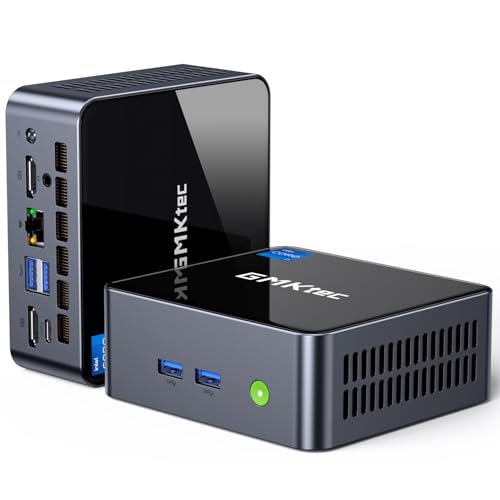
- 【Powerful Performance】GMKtec M2 Pro S mini computer is equipped with 11th generation Intel Core i7-1185G7 processor, main frequency up to 4.8 GHz, 4 cores, 8 threads, 12MB cache, running much faster than i7-10810U, i5-12450H and i5-8259U, Wins PC series The power is only 35W, supporting your daily work with less power consumption, without delaying daily tasks
- GMKtec M2 Pro S Mini PC with Intel Iris Xe Graphics G7 96EU GPU — Powered by Intel Iris Xe Graphics G7 with 96 Execution Units, delivering up to 5× higher graphics performance than entry-level integrated GPUs. Enjoy smoother multi-monitor output, faster media processing, and playable casual gaming. Designed for users who need real GPU performance for productivity, creative tasks, and immersive visuals — not just basic display output.
- 【Storage Capacity】16GB DDR4 and 512GB NVME SSD Desktop computer Comes with 16GB SODIMM, dual-channel DDR4 supports expansion up to 64GB. 512GB SSD M.2 2280 NVMe (PCIe3.0), supports expansion to 2TB, in addition, M.2 2242 SATA can be expanded to 2TB
- 【Wide Connectivity】The GMKtec M2 Pro S mini computer supports a range of connectivity options, including WiFi 6, USB4.0, BT 5.2, DP, HDMI, and RJ45 2.5G, allowing you to connect to multiple devices and peripherals from a single device.
- 【4K UHD & 3 Screens Support】Mini PC with Intel Iris Xe Graphics G7 96EU GPU delivers high-quality graphics for the most demanding applications, 2 x HDMI (4K @ 60Hz) and 1 x USB Type-C (4K @ 60Hz) output terminals, allowing you to independently display 4K screens on 3 displays at the same time

- 【Powerful Intel Core i5-8257U Processor】 Driven by the Intel Core i5-8257U processor with 4 cores and 8 threads, featuring a 6MB Smart Cache and burst speeds up to 3.90 GHz; this mini desktop computer delivers the high-speed performance required for intensive multitasking, complex data analysis, and professional office software suites.
- 【16GB DDR4 RAM & 512GB High-Speed SSD】 Equipped with 16GB of DDR4 memory and a 512GB M.2 SSD, ensuring rapid system boot-ups and near-instant application loading; the high-bandwidth RAM allows you to run multiple demanding programs and browser tabs simultaneously without lag, optimizing your workflow efficiency.
- 【4K Dual Display Output & Intel Iris Plus 655】 Integrated with Intel Iris Plus Graphics 655 to support stunning 4K resolution at 60Hz; features independent HDMI and DisplayPort (DP 1.2) interfaces for dual-monitor setups, providing an expansive visual workspace for graphic design, 4K video playback, and high-definition home entertainment.
- 【Advanced Storage Expansion & Connectivity】 Designed for scalability with dual SO-DIMM slots for memory upgrades and dual M.2 slots supporting NVMe/SATA protocols; includes dual USB 3.2 and dual USB 2.0 ports alongside a Gigabit Ethernet port, offering comprehensive connectivity for all your external peripherals and stable high-speed networking.
- 【Space-Saving Design & Efficient Cooling】 Housed in an ultra-compact 125x112x33mm chassis weighing only 300g, this mini PC is perfect for minimalist desks or business travel; features a precision-engineered internal fan and heat sink for silent, efficient thermal management, ensuring stable operation during long working hours.

- LOW ENERGY HIGH PERFORMANCE MINI PC - The Intel Core Ultra 5 125U is part of the Ultra 5 lineup, using the Meteor Lake architecture with BGA 2049. Intel Hyper-Threading technology is available and effectly doubles the core-count of the P-Cores, to a total of 14 threads. Core Ultra 5 125U has 12 MB of L3 cache and operates at 1300 MHz by default, but can boost up to 4.3 GHz, depending on the workload. With a TDP of 15 W, the Core Ultra 5 125U consumes very little energy but outputs high performance efficiency
- 32GB DDR5 RAM + 512GB SSD - The K15 mini computer is equipped with Dual 16GB (Total 32GB) SO-DIMM DDR5 4800MHz memory sticks. 512GB PCIE 4.0 SSD Drive with 3x M.2 2280 Expansion slots. Each slot capable of reading up to 8TB. (24TB MAX)
- QUAD SCREEN 4K DISPLAY SUPPORT - K15 Mini PC support 4-screen 4K/8K output via HDMI 2.1 (8K@60Hz), DisplayPort 1.4 (4K@60Hz), and USB Type-C Transfer speed (supporting PD3.0/DP1.4/DATA). Ideal for gaming, video editing, and multitasking, it provides expansive and crisp multi-display support
- OCULINK PORT - The Oculink port on the rear interface enables higher bandwidth capabilities, better frame rates and lower lag. The standard also operates at PCIe x4 speeds, compared to Thunderbolt's x3. Gamers and content creators can benefit from Oculink's higher bandwidth, resulting in better performance and lower lag for eGPU setups
- DUAL NIC FAST 2.5GBE + WIFI 6E + BT 5.2 - Dual Ethernet 2.5GbE LAN port design provides more applications, such as firewall, multichannel aggregation, soft routing, file storage server. Built-in WIFI 6E / Bluetooth 5.2 is more stable and efficient to connect multiple wireless devices such as projector, printer, monitor, speakers and etc
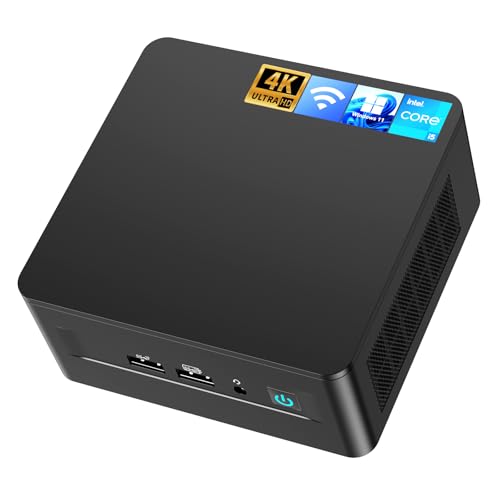
- 𝟭𝟯𝘁𝗵 𝗚𝗲𝗻 𝗜𝗻𝘁𝗲𝗹 𝗶𝟱-𝟭𝟯𝟰𝟮𝟬𝗛 𝗣𝗼𝘄𝗲𝗿𝗳𝘂𝗹 𝗣𝗲𝗿𝗳𝗼𝗿𝗺𝗮𝗻𝗰𝗲 : Powered by 13th Gen Intel Core i5-13420H processor (8 Cores-4P+4E, 12 Threads, up to 4.6GHz, 12MB L3 Cache), this ASUS NUC 13 Pro, Intel nuc 13 pro Arena Canyon mini PC delivers incredible responsive performance. Built with a 35W smart TDP and hybrid architecture, it easily handles daily office work, web browsing, multitasking, photo editing, light design and home entertainment, bringing full desktop-level efficiency in a tiny body.
- 𝟭𝟲𝗚𝗕 𝗥𝗔𝗠 + 𝟱𝟭𝟮𝗚𝗕 𝗦𝗦𝗗 & 𝗟𝗮𝗿𝗴𝗲 𝗘𝘅𝗽𝗮𝗻𝗱𝗮𝗯𝗹𝗲 𝗦𝘁𝗼𝗿𝗮𝗴𝗲 : Comes equipped with 16GB high-speed DDR4 RAM and 512GB M.2 NVMe SSD for ultra-fast boot-up, software loading and smooth multi-tab multitasking. It supports extra storage expansion up to 2TB via 2.5-inch SATA/PCIe Gen4 SSD (not included), allowing you to store massive files, videos and design resources freely and build a secure personal data center.
- 𝟰𝗞/𝟴𝗞 𝗠𝘂𝗹𝘁𝗶-𝗗𝗶𝘀𝗽𝗹𝗮𝘆 & 𝗜𝗻𝘁𝗲𝗹 𝗨𝗛𝗗 𝗚𝗿𝗮𝗽𝗵𝗶𝗰𝘀 : This ASUS NUC 13 Pro, Intel nuc 13 pro Arena Canyon mini PC featured with Intel UHD Graphics and rich video output ports (HDMI 2.1, DP 2.1, Thunderbolt 4), this mini computer supports 4K@60Hz high-definition display and up to 4 simultaneous 4K extended monitors or single 8K display. It perfectly handles 3D modeling, CAD drawing, video rendering and image processing, greatly improving work efficiency for designers and office workers.
- 𝗟𝗮𝘁𝗲𝘀𝘁 𝗪𝗶𝗿𝗲𝗹𝗲𝘀𝘀 & 𝗙𝘂𝗹𝗹-𝗙𝗲𝗮𝘁𝘂𝗿𝗲𝗱 𝗖𝗼𝗻𝗻𝗲𝗰𝘁𝗶𝘃𝗶𝘁𝘆 : Built-in Intel WiFi 6E AX211 and Bluetooth 5.3 provides lower latency, wider bandwidth and more stable wireless connection for online meetings, streaming and gaming. Equipped with 2.5G RJ45 Ethernet, TPM 2.0 security chip, multiple USB 3.2 Gen2 ports, 3.5mm audio jack and Thunderbolt 4, it supports all kinds of office peripherals, monitors, projectors and monitoring devices.
- 𝗨𝗹𝘁𝗿𝗮 𝗖𝗼𝗺𝗽𝗮𝗰𝘁 𝗗𝗲𝘀𝗶𝗴𝗻 & 𝗣𝗿𝗲-𝗶𝗻𝘀𝘁𝗮𝗹𝗹𝗲𝗱 𝗢𝗦 𝟭𝟭 𝗣𝗿𝗼 : Measuring only 4.6×4.4×2.1 inches and supporting VESA wall mounting, this mini PC saves huge desktop space for a clean and tidy workspace. Pre-installed OS 11 Pro offers stronger system security, complete office tools and full software compatibility, ideal for home, office, business, education and light creative work.

- 12th INTEL ALDER LAKE N95 PROCESSOR - The G3S mini pc uses the 12th Intel N95 CPU 4 Core 4 Threads 6MB cache, burst speed up to 3.4GHz. Compared with (N100/N5105/N5100/N5095), the N95 offers an overall performance improvement of 36%. Ideal for routine tasks, office work and home entertainment,which is more convenient than traditional desktop pc
- 8GB RAM MEMORY & 256GB SSD STORAGE - GMKtec Nucbox G3S mini pc is prebuilt with 8GB DDR4 RAM, you will enjoy a speedier experience with Built-in 256GB M.2 2242 SSD Hard Drive. Our mini desktop pc boots up in seconds, work on multiple browser tabs, software applications and quickly transfers files
- RICH INTERFACE - Nucbox G3 Plus mini computer is equipped with USB 3.2, up to 10Gbps/S, HDMI(4K@60Hz)×2, 3.5mm Audio Jack. Supports WiFi 5, and Gigabit Ethernet RJ45 1000MbE network connectivity, Bluetooth 5.0. This Mini PC supports multiple device connection and can be used with servers, monitoring equipment, office equipment, displays, projectors, televisions, etc
- 4K DUAL SCREEN DISPLAY - Mini desktop computer is equipped with upgraded Intel Graphics(max 1000MHz), supports 4K video playback and AV1 decoding, connect the pc with a projector as a home theatre, enjoy a variety of entertainments. Two HDMI 2.0 ports allows you to multi-task efficiently on two 4K@60Hz displays
- WiFi5 & BT5.0 - Built-in Bluetooth 5.0 enables you to connect multiple wireless devices such as mice, keyboard, monitoring equipment, printer and monitor. High-speed wireless connection technology, reliable and efficient transmission speed, providing a faster internet experience for browsing and streaming. Small pc supports Wake On LAN, PXE Boot, RTC Wake and Auto Power On, ideal to use as a server
Mini PC with AMD CPU (Alternatives)
If you’re looking for an alternative with an AMD CPU, there are a few options available.

- 【AMD Ryzen 7330U】 – The Efficiency-Tuned Powerhouse,AMD Ryzen 7330U (Zen 3, SMT, 4C/8T) in KAMRUI P2 mini PC crushes rivals: Intel i3-10110U (2C/4T, 2019) and N95 (4 efficiency cores, no HT, single-channel memory). Vs predecessor Ryzen 3 4300U (4C/4T): ~50% faster single-core, ~46% multi-core, 8MB L3 cache (vs 4MB). Beats both Intel chips hugely in multi-core, making heavy multitasking, coding, data work smooth at just 15W TDP. High-end power in a cool, efficient box.
- 【AMD Radeon Graphics】– Triple 4K Vision & Fluidity,The integrated Radeon Graphics (based on the modern Vega architecture with 6 CUs) is a visual beast, outclassing the iGPU offerings from both AMD's prior generation and Intel. The Intel UHD Graphics (i3-10110U/N95) struggles with single-channel memory and low execution units, crippling its gaming performance and barely handling basic 4K video without stuttering. While the older Radeon Vega 5 (4300U) was decent, our 7330U's Radeon Graphics (6 CUs) pushes the boundaries, delivering higher graphics clock speeds (up to 1.8GHz) and significantly better rendering capabilities. It can drive triple 4K@60Hz displays with zero lag, edit photos/videos.
- 【Generous Storage & Easy Expansion】The KAMRUI Pinova P2 mini desktop computers comes with 16GB LPDDR4X RAM (higher frequency, lower power) for buttery‑smooth multitasking, and a 256GB M.2 SSD for blazing fast boot‑up, quick file transfers, and no more long loading screens. It also features two storage expansion slots (1x M.2 2280 SATA/NVMe PCIe 3.0 slot + 1x M.2 2280 SATA slot), supporting up to 4TB total (not included). You’ll have all the space you need for projects, media, and important data.
- 【Triple 4K Display Output】The KAMRUI Pinova P2 mini desktop pc is equipped with HDMI 2.0 ×1 + DP 1.4 ×1 + USB 3.2 Gen2 Type‑C ×1 (with DP Alt Mode), enabling simultaneous triple 4K@60Hz output. Whether for home entertainment, remote work, or conference room presentations, it delivers an immersive visual experience. Two USB 3.2 Gen2 Type‑A ports (up to 10Gbps – 21x faster than USB 2.0) make data transfers and device expansion a breeze.
- 【USB 3.2 Gen2 Type‑C: 10Gbps & Versatile Connectivity】The USB 3.2 Gen2 Type‑C port on the KAMRUI P2 small pc supports 10Gbps data transfer speeds and can also output DisplayPort 1.4 video. Together with Gigabit LAN, Wi‑Fi, and Bluetooth, you get a fast, flexible, and productive connected environment – wired or wireless.


- 【Ryzen 5 3500U Processor】The BOSGAME mini pc is driven by the Ryzen 5 3500U (4C/8T, up to 3.7GHz) , with integrated Radeon Vega 8 Graphics, delivering reliable power, 4K video streaming and multitasking. Handle daily workloads like spreadsheet calculations, web browsing, and HD video editing effortlessly.
- 【8GB DDR4 & 256GB SATA SSD】E4 Air mini computers with 8GB DDR4 RAM and a 256GB SATA SSD, this mini desktop ensures quick app launches and efficient multitasking. while the SSD accelerates file transfers—ideal for office documents, media storage, and everyday computing.
- 【4K Triple Display & USB-C & USB3.2】The mini desktop computer Drives three 4K monitors via HDMI, DisplayPort and USB-C for multi-window productivity or immersive home theater setups;USB 3.2 meets your multi-interface transfer needs.
- 【Dual RJ45 LAN & Wi-Fi 5 & BT5.0】Equipped with Dual Gigabit Ethernet, dual-band Wi-Fi 5, and Bluetooth 5.0, this ryzen mini pc ensure stable connections for 4K streaming, video calls, and file transfers. Wirelessly connect keyboards, headphones and speakers via BT5.0 ideal for office productivity and home entertainment.
- 【3-Year Reliable Customer Services】 All of our BOSGAME mini pc gaming have FCC, ROHS, CE certifications. BOSGAME enjoy a 1-year wa-rranty for the entire machine and a 3-year wa-rranty for parts, ensuring your long-term peace of mind. If you have any questions about your purchase, please let us know through Amazon.

- VALUE & PERFORMANCE MINI PC - GMKtec Nucbox M6 Ultra Series is equipped with the powerful AMD Ryzen 5 7640HS processor. This CPU is an upper mid-range processor (APU) of the Phoenix product family. It has 6 SMT-enabled Zen 4 cores (12 threads) running at 4.3 GHz base speed to turbo boost 5.0 GHz.With a TDP Boost of 45W-60W, the Ryzen 7640HS CPU is more energy efficient and delivers a 30% Performance increase over previous AMD Ryzen 7 6800H, 6600U.
- 32GB DDR5 RAM & 1TB PCIe SSD - Installed with DDR5 32GB RAM SO-DIMM Dual Channel (2x16GB), the Nucbox M6 Ultra mini pc support expansion to 128GB RAM. Featured with 1TB M.2 2280 PCIe 3.0 SSD, support dual slot expansion to PCIe 4.0 8TB SSD. (Upgrades not included)
- GAMING PC - The Radeon 760M iGPU has 8 CUs (512 shaders) running at up to 2,600 MHz. This desktop computer can play moderate gaming at a steady FPS, it also HW-encodes and HW-decodes the most widely used video codecs such as AV1, HEVC and AVC.
- DUAL NIC LAN 2.5G RJ45 - Fast Network Speeds: Enjoy up to 2500Mbps data transmission speed without worrying about lagging. Ideal for working, gaming, and surfing the internet. Great for Untangle, Pfsense or as a server office PC.
- TRIPLE 4K DISPLAY - Unlock unparalleled productivity with support for three simultaneous displays, including a stunning 8K@60Hz via USB4, plus 4K@60Hz through both HDMI 2.0 and DisplayPort, transforming your workspace into a command center for multitasking and immersive entertainment.

- 🔥【Excellent Performance】 Beelink SER3 equipped with AMD Ryzen 3 3200U (up to 3.5GHz), which adopts an 2-core/4-thread. The base frequency is 2.6GHz / Max turbo frequency can reach 3.5GHz. Ensure seamless multitasking and no-delay switching at work, provide the next generation of multitasking experience, and bring processing speed, energy efficiency, productivity, and all-around performance to new heights.
- 🔥【Capacity Storage】Beelink Mini PC driven by the AMD 14nm Processor and 16GB DDR4 2400MHz Memory(can upgrade to 32GB, 2 x 16GB), 500GB M.2 PCIE3.0 X4(2280) SSD, this High-Performance Mini PC designed by our talented European designers delivers enough power and storage for you to play, create and enjoy all day!
- 🔥【HD Graphics & Dual Display】Beelink 3200U integrates Radeon Vega 3 Graphics 3core 1200 MHz GPU to deliver powerful graphics processing power to easily handle the demands of complex design software, 4K@60Hz UHD video editing, and playback, or light gaming. And it can connect 2 screens efficiently handle your tasks, and meet your specific needs.
- 🔥【Multiple Interfaces & Wireless】Mini Desktop PC equipped with a 1000M LAN (RJ-45, supporting Gigabit file transfer speeds), Dual-band 2.4G 5G WiFi (802.11ac, stronger capacity of resisting disturbance), and built-in Bluetooth, high-speed wireless connection makes you step ahead. And 4*USB3.2 ports, 2*HDMI ports, 1*Audio Jack (HP&MIC), and 1*DC Jack, thus offering the user even greater versatility in use.
- 🔥【Lifetime After-Sales Service】Beelink has been dedicated to R&D Mini PC for many years. All Beelink Mini-PC have passed strict inspections before shipping. If you have any questions, please don’t hesitate to contact US. We are 100% guaranteed to solve your problems. We offer lifetime technical support, a 3 year warranty, and 24/7 after-sales service. All of our products obtained FCC, RoHS, and CE Certifications.

- [🚨Industry Supply Alert] Facing a severe industry-wide DDR memory shortage driven by massive AI sector demand, GEEKOM must review its cost structure in the future to maintain the A5's uncompromised quality. Secure your unit now to lock in the current high-value configuration before potential changes.
- 🛡️[Worry-Free for 3 Years & Trust First] Unlike budget brands offering limited 1-year coverage, GEEKOM provides a premium 3-year limited warranty. This reflects our confidence in materials, build quality, and industry-verified reliability (including FCC, UL, and ENERGY STAR). Enjoy consistent performance for home offices and business deployments with long-term professional protection.
- [15W Ryzen 5 7430U & Agentic AI Assistant] The GEEKOM A5 integrates an AMD Ryzen 5 7430U (15W TDP) into a compact metal chassis, offering superior efficiency compared to earlier generations like the 5500U or 4300U. It effortlessly doubles as a cloud-native Agentic PC—seamlessly hosting cloud AI tasks, automating workflows, and summarizing documents without complex local deployment. Perfect for video conferences, 4K streaming, and AI-assisted office workloads.
- [16GB RAM & 1TB NVMe SSD, Expandable] Features dual-slot DDR4 RAM (upgradable to 64GB) and a massive 1TB PCIe NVMe SSD (upgradable to 4TB). With an extra M.2 2242 slot and a 2.5" HDD bay supporting up to 10TB of total storage, you get the greater flexibility and value missing in soldered LPDDR alternatives. Scale your memory and storage seamlessly to drive your growing creative and professional workloads.
- [4-Screen Display & 8K Visuals] Powered by AMD Radeon Vega 7 Graphics, it supports up to 4x 4K displays via 2 HDMI and 2 USB 3.2 Gen 2 Type-C ports, with 8K visuals via Type-C. Ideal for complex multitasking—from managing large Excel sheets and Adobe creative apps to streaming high-definition content, ensuring a smooth and vibrant visual experience for professional workflows.
Mac Mini as an Alternative
Apple’s Mac mini with M4 or M4 Pro is a strong alternative to Windows/Linux mini PCs for AI. Unified memory means the CPU and GPU share one pool—no separate VRAM limit—and bandwidth (e.g., 273 GB/s on M4 Pro) is competitive with many desktop setups. The 64 GB M4 Pro configuration is often cited as the best balance for running 30B–32B models quietly and efficiently. If you’re okay with macOS and don’t need NVIDIA CUDA or heavy training, the Mac mini deserves a place in your shortlist. We cover it in depth in our Mac mini for AI guide.

- LITTLE DO-IT-ALL — Mac mini packs pure power into a small, five-by-five-inch desktop as the M6 chip delivers next-level AI capabilities. Mac mini features 2.5Gb Ethernet with support for Wi-Fi 7* and Bluetooth 6, with ports on the front and back.
- M6 CHIP — Everything you do on Mac mini feels more responsive with the M6 chip and its next-generation CPU. Fly through AI workflows with up to 4.8x faster AI performance,* thanks to a Neural Accelerator in each GPU core, faster unified memory, and a Dual 16-core Neural Engine.
- CONNECT IT ALL — Features three Thunderbolt 4 ports, an HDMI port, and a 2.5Gb Ethernet port in the back, and two USB-C ports and a headphone jack in front. Supports up to three external displays. With the Apple-designed N1 wireless chip for Wi-Fi 7* and Bluetooth 6.
- A POWERFUL PLATFORM FOR AI — Apple silicon is designed to run demanding AI workflows like using huge LLMs, directly on device. And Apple Intelligence* helps you write, express yourself, and get things done effortlessly, while Siri AI* is your profoundly capable assistant — all with groundbreaking privacy protections.
- A POWERFUL PLATFORM FOR AI — Apple silicon is designed to run demanding AI workflows like using huge LLMs, directly on device.
- LITTLE DO-IT-ALL — Mac mini packs pure power into a small, five-by-five-inch desktop as the M6 chip delivers next-level AI capabilities. Mac mini features 2.5Gb Ethernet with support for Wi-Fi 7* and Bluetooth 6, with ports on the front and back.
- M6 CHIP — Everything you do on Mac mini feels more responsive with the M6 chip and its next-generation CPU. Fly through AI workflows with up to 4.8x faster AI performance,* thanks to a Neural Accelerator in each GPU core, faster unified memory, and a Dual 16-core Neural Engine.
- CONNECT IT ALL — Features three Thunderbolt 4 ports, an HDMI port, and a 2.5Gb Ethernet port in the back, and two USB-C ports and a headphone jack in front. Supports up to three external displays. With the Apple-designed N1 wireless chip for Wi-Fi 7* and Bluetooth 6.
- A POWERFUL PLATFORM FOR AI — Apple silicon is designed to run demanding AI workflows like using huge LLMs, directly on device. And Apple Intelligence* helps you write, express yourself, and get things done effortlessly, while Siri AI* is your profoundly capable assistant — all with groundbreaking privacy protections.
- A POWERFUL PLATFORM FOR AI — Apple silicon is designed to run demanding AI workflows like using huge LLMs, directly on device.
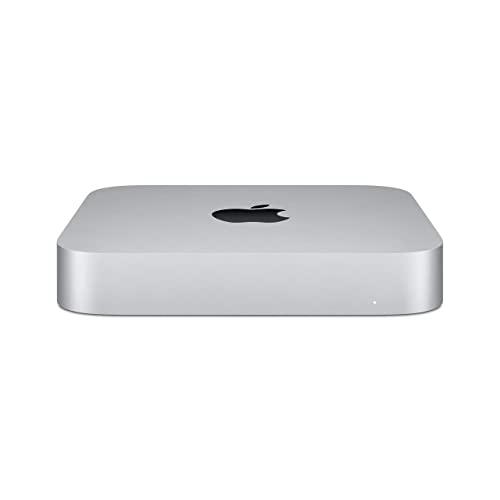
- Apple-designed M1 chip for a giant leap in CPU, GPU, and machine learning performance
- 8-core CPU packs up to 3x faster performance to fly through workflows quicker than ever*
- 8-core GPU with up to 6x faster graphics for graphics-intensive apps and games*
- 16-core Neural Engine for advanced machine learning
- 8GB of unified memory so everything you do is fast and fluid
- LITTLE DO-IT-ALL — Mac mini packs pure power into a small, five-by-five-inch desktop. The M5 Pro chip brings even more performance to advanced AI tasks and creative and technical workflows. With ports on the front and back.
- M5 PRO CHIP — The M5 Pro chip brings extra power to take on demanding projects, with a next-generation CPU and faster unified memory. It’s a mighty force for on-device AI, delivering up to 4x faster AI performance,* thanks to a Neural Accelerator in each GPU core.
- CONNECT IT ALL — Features three Thunderbolt 5 ports, an HDMI port, and a 2.5Gb Ethernet port in the back, and two USB-C ports and a headphone jack in front. Supports up to three external displays. With the Apple-designed N1 wireless chip for Wi-Fi 7* and Bluetooth 6.
- A POWERFUL PLATFORM FOR AI — Apple silicon is designed to run demanding AI workflows like using huge LLMs, directly on device. And Apple Intelligence* helps you write, express yourself, and get things done effortlessly, while Siri AI* is your profoundly capable assistant — all with groundbreaking privacy protections.
- A POWERFUL PLATFORM FOR AI — Apple silicon is designed to run demanding AI workflows like using huge LLMs, directly on device.

- SIZE DOWN. POWER UP — The far mightier, way tinier Mac mini desktop computer is five by five inches of pure power. Built for Apple Intelligence.* Redesigned around Apple silicon to unleash the full speed and capabilities of the spectacular M4 chip. With ports at your convenience, on the front and back.
- LOOKS SMALL. LIVES LARGE — At just five by five inches, Mac mini is designed to fit perfectly next to a monitor and is easy to place just about anywhere.
- CONVENIENT CONNECTIONS — Get connected with Thunderbolt, HDMI, and Gigabit Ethernet ports on the back and, for the first time, front-facing USB-C ports and a headphone jack.
- SUPERCHARGED BY M4 — The powerful M4 chip delivers spectacular performance so everything feels snappy and fluid.
- BUILT FOR APPLE INTELLIGENCE — Apple Intelligence is the personal intelligence system that helps you write, express yourself, and get things done effortlessly. With groundbreaking privacy protections, it gives you peace of mind that no one else can access your data — not even Apple.*
Common Mistakes Buyers Make
Not Enough RAM
Buying a 16 GB mini PC and expecting it to run 30B models is the most common mistake. After the OS and Ollama’s runtime overhead, you might have 12–13 GB free—enough for a 7B Q4 model and not much else. If your goal is anything above 13B, start at 32 GB minimum and seriously consider 64 GB.
Ignoring Memory Bandwidth
Two machines with 64 GB of RAM can deliver vastly different token speeds. DDR4-3200 dual-channel delivers ~50 GB/s—enough for inference, but sluggish. DDR5-5600 improves to 76–100 GB/s. LPDDR5X pushes past 200 GB/s, and Apple’s M4 Pro hits 273 GB/s. Since token generation is memory-bandwidth-bound, the same 30B model might generate 5 tok/s on DDR4 and 12 tok/s on LPDDR5X. Check memory type, not just capacity.
Overpaying for NPU
Vendors love to highlight NPU TOPS in marketing. Intel’s Lunar Lake advertises 86 TOPS, AMD’s HX 370 claims 50 TOPS. But as of mid-2026, Ollama, llama.cpp, and LM Studio don’t offload LLM inference to the NPU. You’re paying for a feature that benefits video calls and image processing, not your local AI workflow. Don’t choose a more expensive SKU solely because it has a higher NPU rating.
Skipping Quantization
Some buyers try to run FP16 (full-precision) models because they assume quantization degrades quality unacceptably. In practice, Q4_K_M and Q5_K_M quantizations are nearly indistinguishable from FP16 for most chat, coding, and summarization tasks. Skipping quantization means a 30B model needs ~60 GB instead of ~18 GB, and a 70B model needs ~140 GB instead of ~35–40 GB. Always start with Q4_K_M or Q5_K_M and only move to higher precision if you have a specific quality requirement and the RAM to support it.
FAQ
Can a mini PC really run a 70B model?
Yes, but with caveats. With 128 GB RAM (or 96–128 GB unified on a Mac Studio) and Q4_K_M quantization, 70B models run at roughly 3–8 tok/s. That’s usable for batch processing, RAG pipelines, and non-realtime tasks—but it’s noticeably slow for interactive chat. For snappy conversational use, a 30B model on a 64 GB machine at 10–15 tok/s is often the better experience.
Do I need a discrete GPU?
Not always. High-bandwidth integrated GPUs (AMD RDNA 3.5) and Apple’s unified memory can run 13B–32B models at usable speeds. A discrete GPU wins on raw throughput—an NVIDIA RTX 4070 with 12 GB VRAM generates 7B tokens at 40–60 tok/s, two to three times faster than iGPUs—but for models larger than the card’s VRAM, you’re back to system RAM anyway. Choose discrete for speed on smaller models; choose integrated or unified for larger models without VRAM limits.
What’s the difference between RAM and VRAM for AI?
VRAM is the GPU’s dedicated memory, optimized for parallel computation; system RAM is used by the CPU and, when the model doesn’t fit in VRAM, as overflow for inference. On Apple Silicon, “unified memory” is one pool shared by both CPU and GPU, which is why Mac minis can punch above their weight. When a model is too large for VRAM alone, inference engines split layers between GPU and CPU memory, which works but reduces speed. For the full picture, see our guide on how much RAM and VRAM you need to run AI models locally.
Is a mini PC better than a refurbished server for AI?
It depends on your environment. Refurbished rack servers can offer 256+ GB of RAM for $500–$800, but they’re loud (60–70 dBA), draw 200–400 W at idle, and need proper ventilation. Mini PCs win on noise (30–40 dBA under load), size, and power efficiency (15–65 W). If you have a dedicated server closet and prioritize raw capacity, a refurbished server works. For a desk or quiet homelab, a mini PC is the better choice.
Can I use my mini PC for AI and virtualization?
Yes. Many of the same machines recommended for homelab virtualization can run Proxmox or another hypervisor and host VMs or containers—including ones running Ollama. The 64 GB+ machines in the mid-range and high-end tiers have enough RAM to split between VMs and a dedicated AI container. For GPU passthrough and running AI models on Proxmox VE, see our guide on how to run AI models on Proxmox VE.
What happens when a model doesn’t fit in memory?
The runtime will either refuse to load the model or offload layers to disk swap. Inference can slow by 5–10×—a model that generates 12 tok/s in RAM might drop to 1–2 tok/s when swapping. Check the model size ollama show against your free RAM/VRAM before loading. If it’s close, close other applications or choose a more aggressively quantized variant.
How loud are these mini PCs under an AI workload?
Mac minis stay effectively silent—the fan rarely spins up during inference. Most AMD-based mini PCs (Beelink, GEEKOM, Minisforum) ramp fans under sustained load and land in the 30–42 dBA range, roughly whisper to quiet-conversation volume. Some Intel NUC models reach 45 dBA under heavy load. For comparison, a desktop tower with a discrete GPU under AI load sits at 45–55 dBA. If noise is a priority, Mac mini wins; among Windows/Linux options, check reviews for noise under sustained inference load.
Will NPUs matter for AI in the future?
Probably. Frameworks like ONNX Runtime and DirectML are beginning to support NPU acceleration for specific workloads. For LLM token generation in 2026, though, the autoregressive workload doesn’t map well to NPU architectures. Plan around RAM and GPU/compute today; treat NPU as future-proofing that may pay off in 2027 and beyond.
How much does it cost to run a mini PC 24/7?
At the US average of ~$0.16/kWh, a 15 W mini PC costs about $21/year and a 65 W unit about $91/year to run continuously. In practice, most idle at 8–15 W and only hit peak draw during inference, so real-world costs for intermittent AI use are closer to $15–$40/year, less than two months of ChatGPT Plus.
Which OS is best for running AI on a mini PC?
Linux (Ubuntu, Fedora, or headless Debian) gives the best flexibility: full ROCm support for AMD GPUs, CUDA support for NVIDIA eGPUs, easy Docker deployments, and the widest framework compatibility. macOS is excellent on Apple Silicon—Ollama’s Metal backend is first-class, and setup is trivial. Windows works via WSL2 and native Ollama builds, but AMD ROCm driver quirks can add friction. Linux for flexibility, macOS for simplicity on Apple hardware.
Conclusion
For most people, the 64 GB tier—whether a high-spec AMD mini PC or a Mac mini M4 Pro—is the best balance of model size, speed, and form factor. If your budget is tighter, the mid-range ($800–1,700) still gets you 13B–30B models at usable speeds. On a strict budget, aim for at least 32 GB and stick to 7B–8B models with quantization.
Once you’ve chosen your mini PC, set up Ollama on your mini PC with our complete tutorial. For a head-to-head of the top three (Beelink GTR9 Pro, GMKtec EVO-X2, Mac mini M4 Pro), see our Beelink vs GMKtec vs Mac mini for AI comparison.
Quick takeaway: Best overall — Mac mini M4 Pro 64 GB or Beelink GTR9 Pro / GMKtec EVO-X2 (64 GB). Best budget — Minisforum AI X1 Pro or GEEKOM A9 Max (mid-range). Best for 70B+ — Beelink GTR9 Pro or GMKtec EVO-X2 with 128 GB.
VMinstall.com is a participant in the Amazon Services LLC Associates Program, an affiliate advertising program designed to provide a means for sites to earn advertising fees by advertising and linking to Amazon.com, Amazon.co.uk, Amazon.ca, and other Amazon stores worldwide. *Best Sellers last updated on 2026-10-01 at 13:13.

