
Google LiveAndroid OS Runs On Virtual Machine
With all the recent buzz going on about Google’s New Android cell phones, I thought it would be worthwhile to blog this on VMInstall.com.
If you’re a techie who likes to spend time testing which operating systems they can get to run on a VM. I found that Google has a version of its popular Android OS that is called LiveAndroid. You download the ISO then you can boot your PC from it or create a VM.
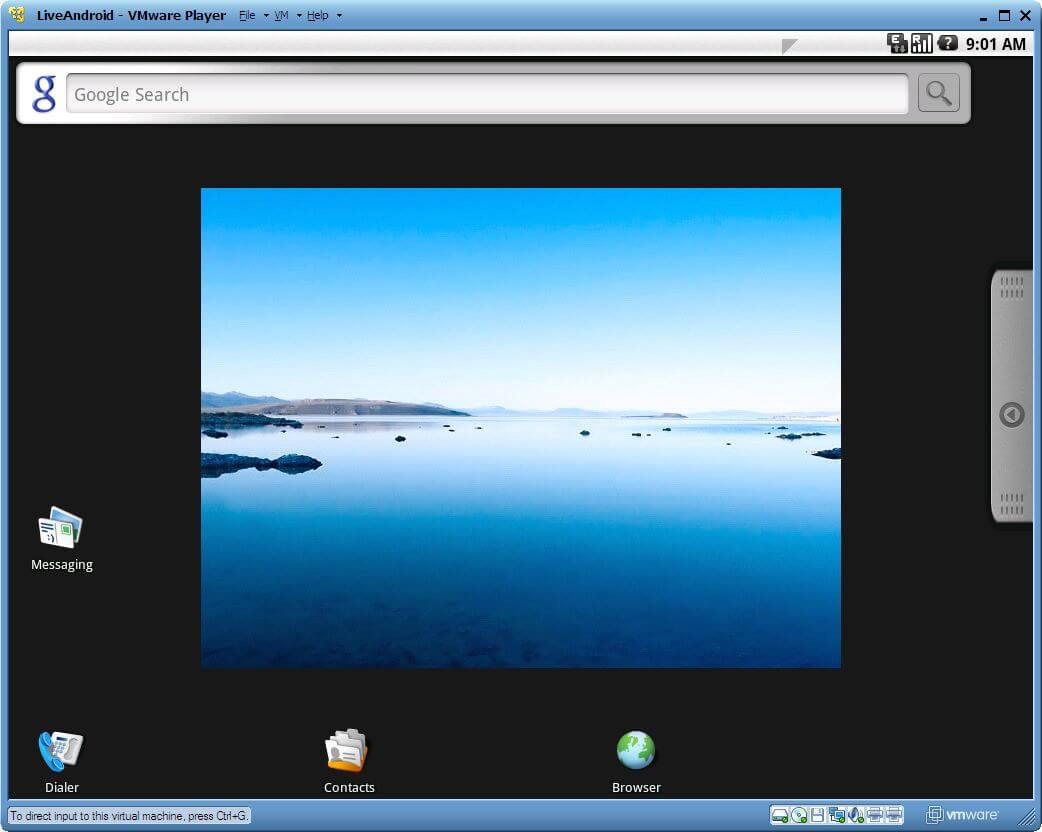
The picture shown is LiveAndroid running on VMware Player but it’s been tested on VirtualBox, too.
LiveAndroid v0.3 – Features
- OpenDNS added
- Audio support
- VirtualBox – Intel 8×0 AC97
- VMware – Ensoniq AudioPCI 1371/1373
- SD card support (512M)
- Ethernet (DHCP)
- Mouse wheel support
- High-resolution support (800*600, 1024*768)
- Apps added
- Software Directory
- AndroidVNC
- PilotLines, Craigs Races, Super Mario
- more net card driver added
- Amd PCNET32 PCI
- Broadcom 440x/47xx
- CS89x0
- Intel PRO/100+
- NE2000/NE1000
- Realtek RTL-8129/8130/8139
Browsing VMinstall.com

Liveandroid – browsing vminstall. Com
Download Your Copy
- LiveCD
- download
- liveandroidv0.3.iso.001 / liveandroidv0.3.iso.002 at http://code.google.com/p/live-android/downloads/list
- torrent at http://www.mininova.org/get/2870386
- join
- windows, use HJSplit(http://www.freebyte.com/hjsplit/ or http://www.freebytesoftware.com/download/hjsplit.zip) to join it. also use command COPY /B liveandroidv0.3.iso.001 + liveandroidv0.3.iso.002 liveandroidv0.3.iso
- linux, cat liveandroidv0.3.iso.001 liveandroidv0.3.iso.002 > liveandroidv0.3.iso
- download
- size 173M
- check liveandroidv0.3.iso md5sum e0c5c305f78cd958dbaea3716c82296f
User Guide
- Readmefirst: http://code.google.com/p/live-android/wiki/readme
- Pics: http://twitpic.com/photos/liveandroid http://code.google.com/p/live-android/wiki/WhatUserSaid
- How to use: http://code.google.com/p/live-android/wiki/howtouse
- How to install apps: http://code.google.com/p/live-android/wiki/howtoinstallapps
- FAQ: http://code.google.com/p/live-android/wiki/faq
- Internet connection: http://code.google.com/p/live-android/wiki/networkhowto

fatoul jean
I use Liveandroid within a virtual box , it’s works good , I send this comment from within the browser of LIveandroid ..IWould like to have more applications to install , so could we have more addons..for it otherwise I ‘m very exited. To see the futur of this operatind system ..thanks
rakesh
please tell me about how to install live android v0.3 from virtual box .please reply me soon………………..